Every screen below is the real platform - not a mock-up. Some of them move: short clips recorded from the app itself. This is what the modules look like doing the actual day's work: the rent chased, the certificates watched, the councils invoiced, the rooms filled.
🛡 Shown with example data from our demonstration companies - never a customer's.
The lettings core
Core
The morning dashboard
Open the app and the day is already triaged: occupancy and rent roll at a glance, anything in arrears, certificates falling due, and the repairs that need a decision.
Arrears and critical repairs surfaced, not buried
Gas, EICR & CO checks with overdue / due-soon status
One click through to the thing that needs you
The whole portfolio triaged the moment you log in.
Core
Properties & tenancies
Every property with its occupants, terms, deposit protection and full tenancy history - with the compliance, repairs and paperwork for that address one tab away.
Current occupants, terms and deposit in one card
Move-outs recorded with the history kept
Compliance & repairs scoped to the property
One address, everything about it.
Core
Rent & arrears
A running rent account per tenancy - charges raised on schedule, payments logged against them, and the balance always honest. Statements generate themselves.
Rent schedules generated, not typed
Up-to-date / arrears status at a glance
Owner statements downloadable in a click
Charged, received, owed - and the owner's statement built from it.
Core
Maintenance & repairs
From “no hot water” to job done: log it, grade it, send it to the right contractor with an appointment, and keep the invoice on the file.
Severity grading so critical jobs jump the queue
Contractor dispatch with appointment & notes
Costs and invoices kept against the property
A critical boiler job, an overdue certificate and an arrears case - found from the dashboard.
Module
Staff roles & permissions
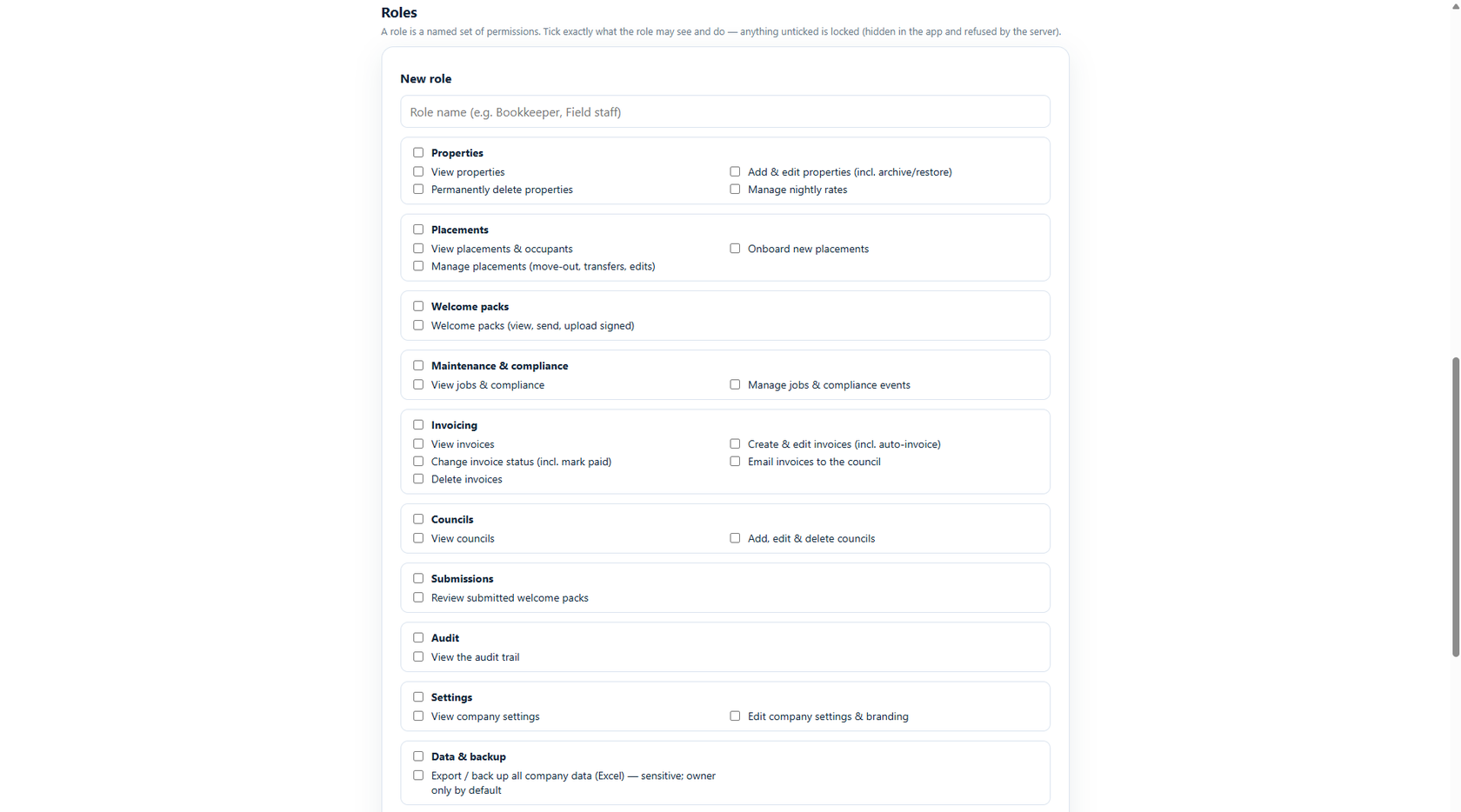
Build named roles and tick exactly what each may see and do. Anything unticked isn’t just hidden - the server refuses it. Unlimited staff logins, always.
Per-function permissions, viewable areas included
The owner always keeps top-level control
Every action recorded in the audit trail
A role is exactly what you tick - nothing more.
Specialist lettings modules
Module
Council invoicing
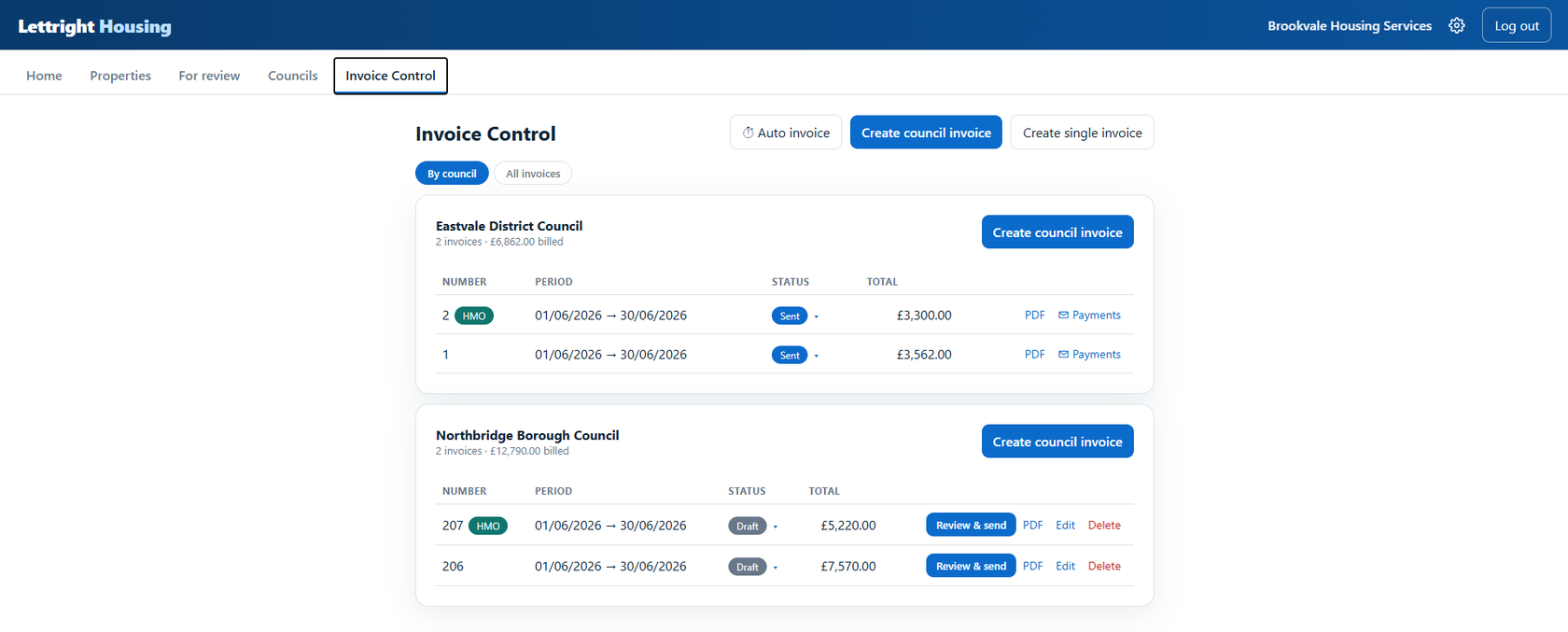
For supported and temporary accommodation billed to the local authority: monthly invoices build themselves from live occupancy - pro-rated by the nights each placement was actually there, HMOs billed on their own stream.
Per-council invoices generated from occupancy
Standard and HMO streams kept separate
Draft → review & send → paid, all tracked
A month's council billing, built by the system.
Module
Placements & per-night occupancy
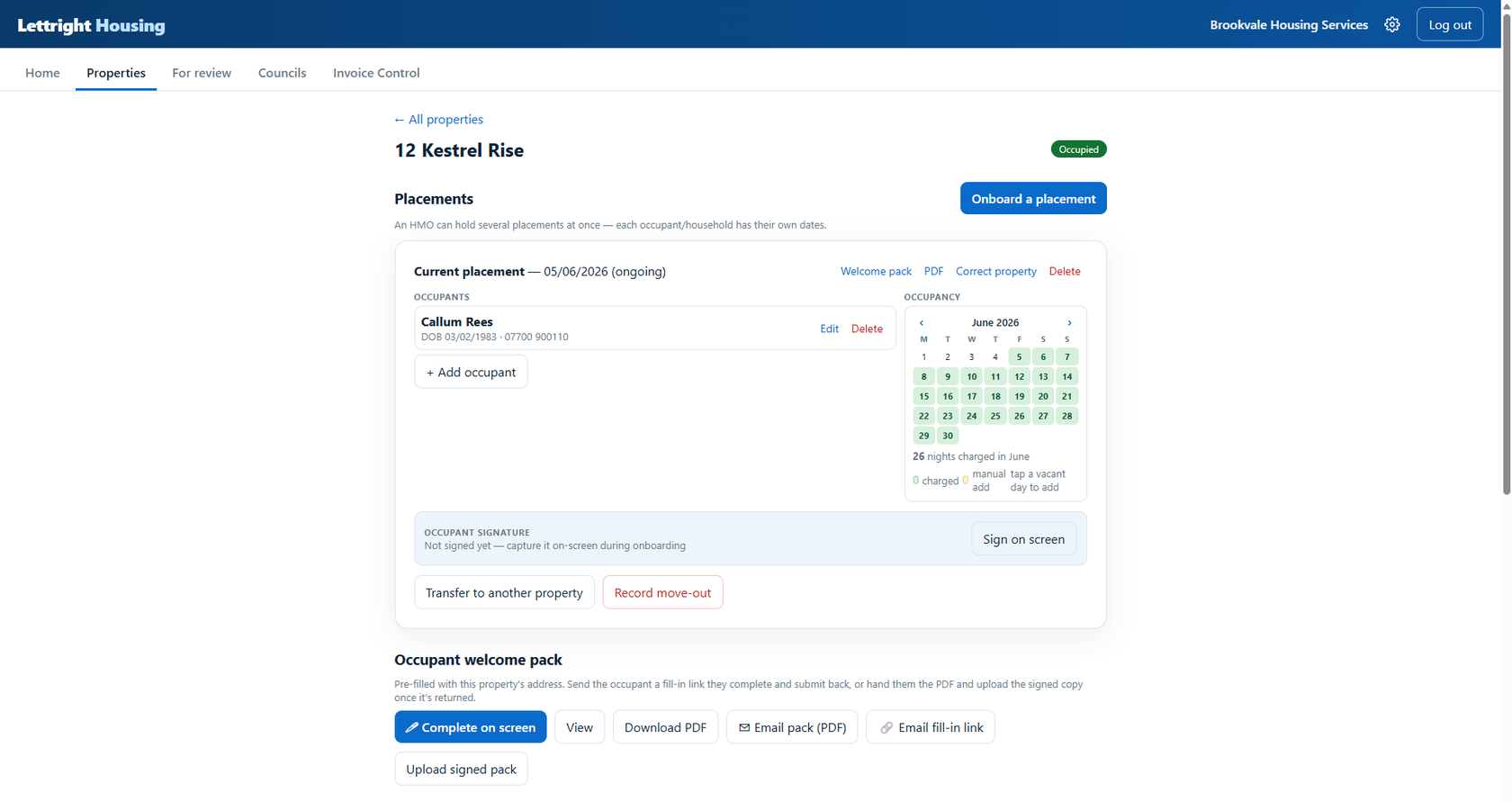
Room-by-room placements with an occupancy calendar that knows every charged night - and a welcome pack the occupant signs on screen, page by page.
Every charged night visible on the calendar
On-screen signatures, transfers and move-outs
Feeds the council invoice automatically
Twenty-six nights in June - counted, not guessed.
Short-stay & bookings
Module
Bookings & availability calendar
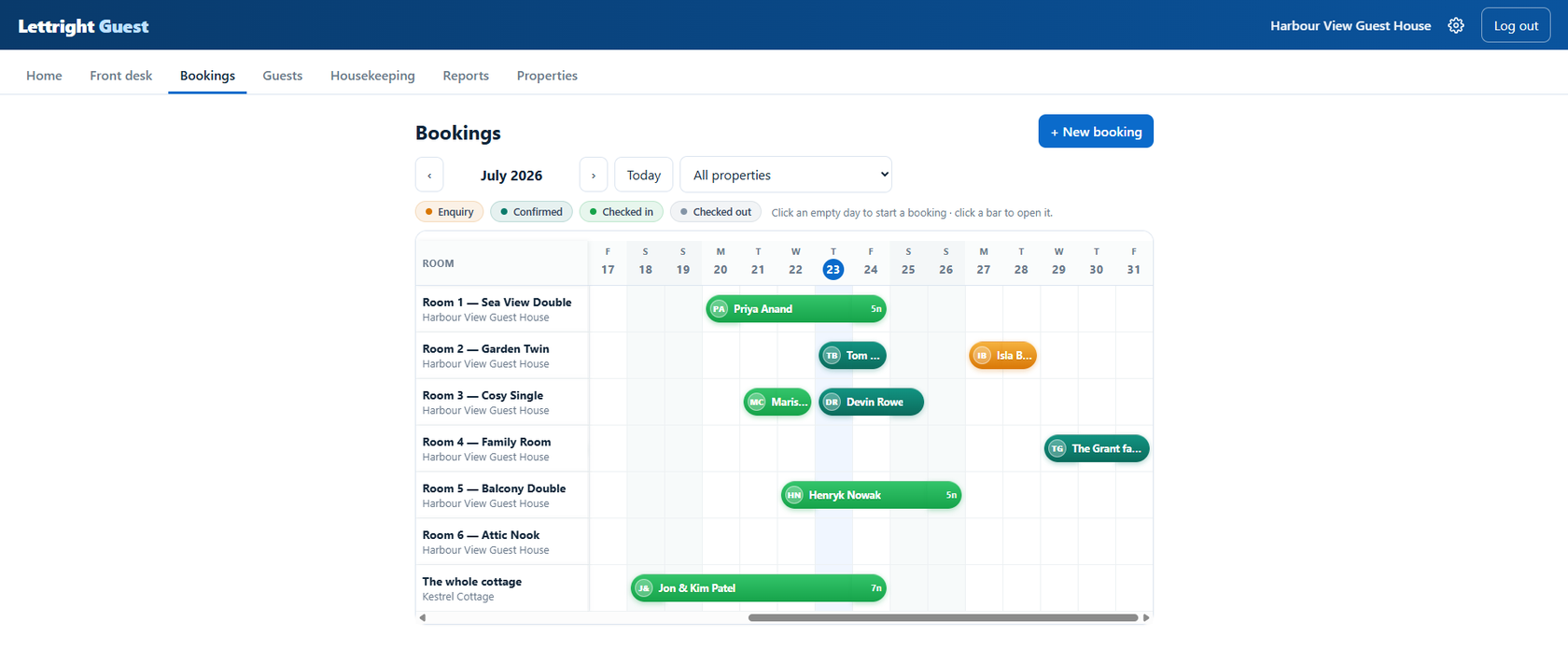
The heart of the short-stay build: every room across the month, every stay a labelled bar from check-in to check-out. Double-booking is impossible - the system simply won’t allow it. Rooms, pitches or pods - if it's bookable by the night, it fits, right down to campsites and glamping.
Whole months at a glance, per room
Enquiry, confirmed, in-house and departed colours
Click an empty day to start a booking
A week at the guest house, room by room.
Module
Rates, pricing & instant quotes
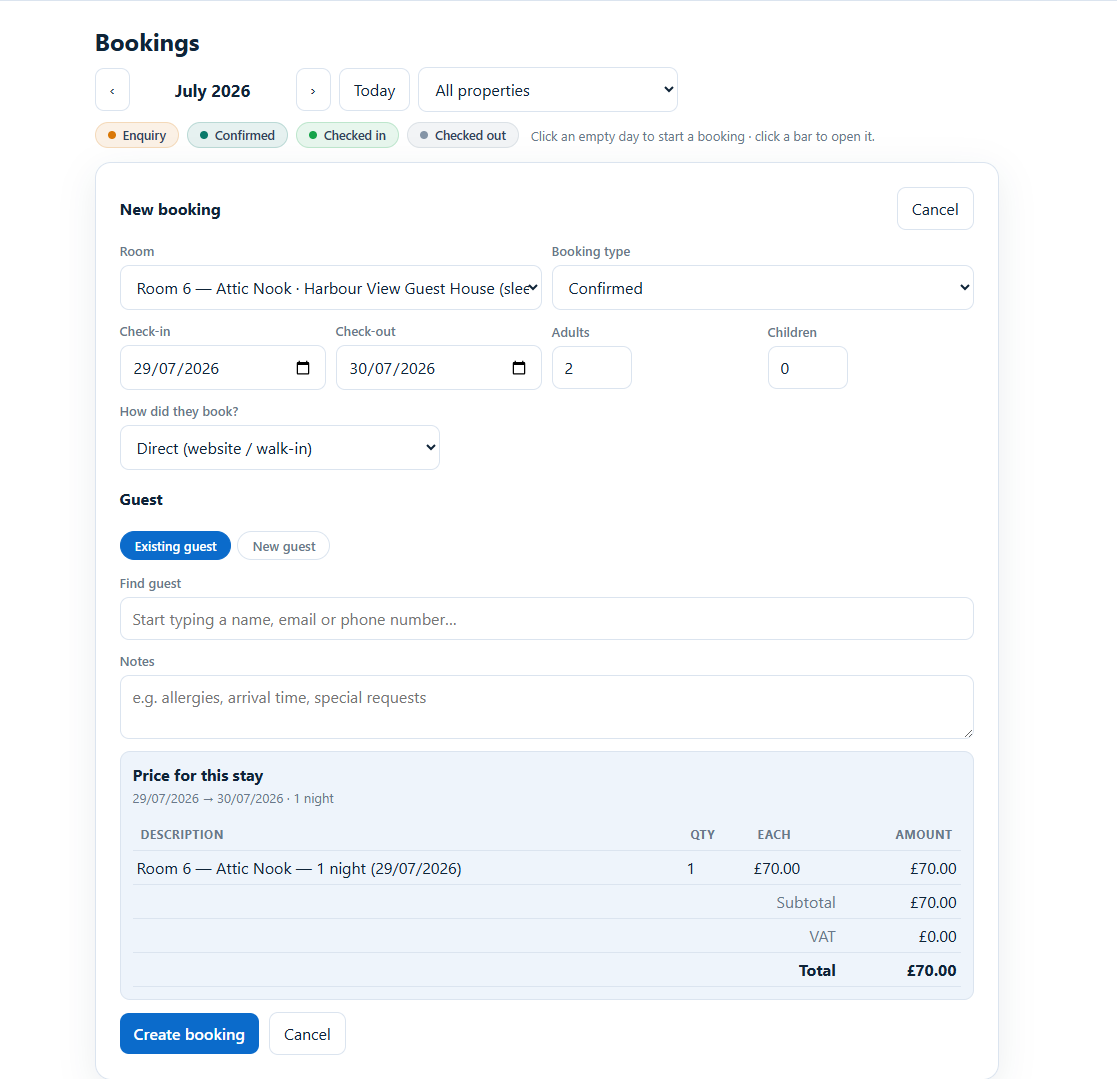
Nightly rates per room with seasonal and weekend pricing, minimum stays and long-stay discounts - and a live, itemised price the moment you pick dates.
Weekend & seasonal rates, minimum stays
Extra-guest charges and length-of-stay discounts
The exact bill quoted before you confirm
Pick the dates - the price works itself out.
Module
The front desk
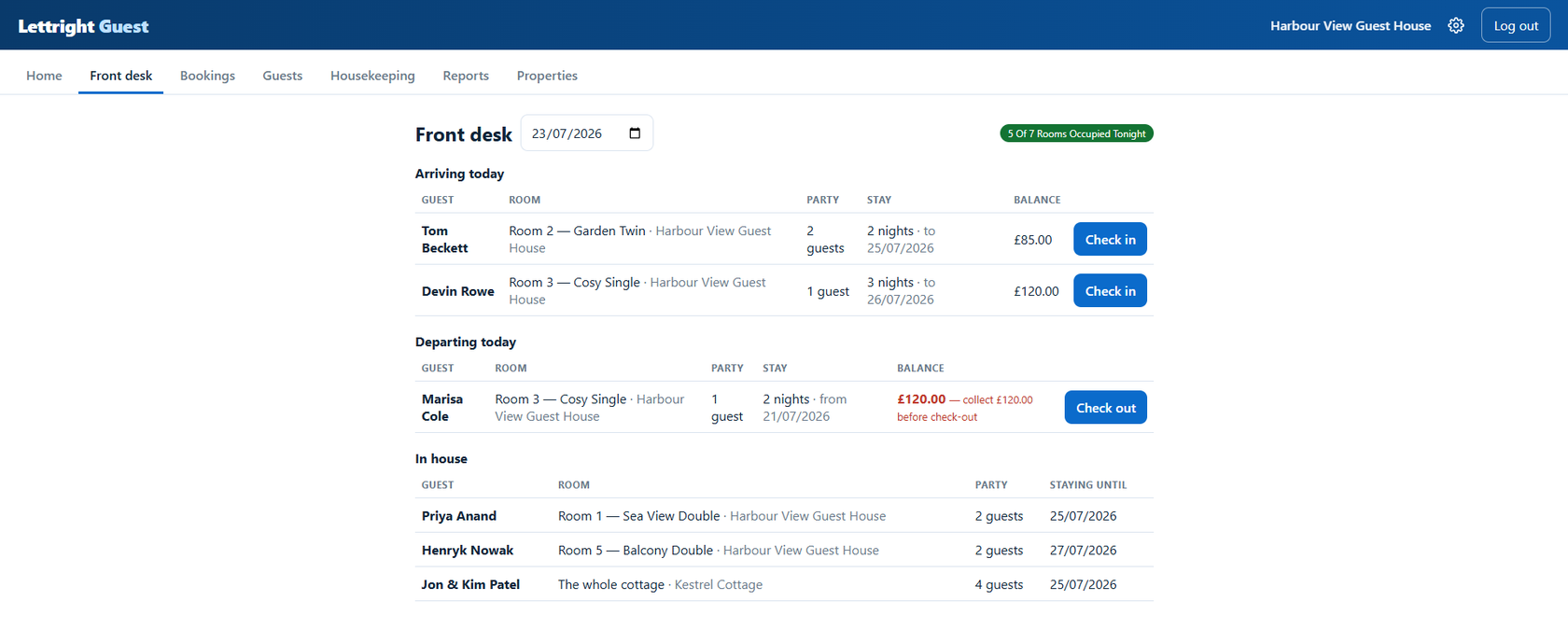
Today’s arrivals, departures and in-house guests on one board - with one-tap check-in and, before anyone leaves, a clear flag of what’s still to pay.
Arrivals & departures with one-tap actions
“Collect £X before check-out” - no missed balances
Tonight’s occupancy always in the corner
The desk knows who owes what before they've reached it.
Module
Guest records & extras
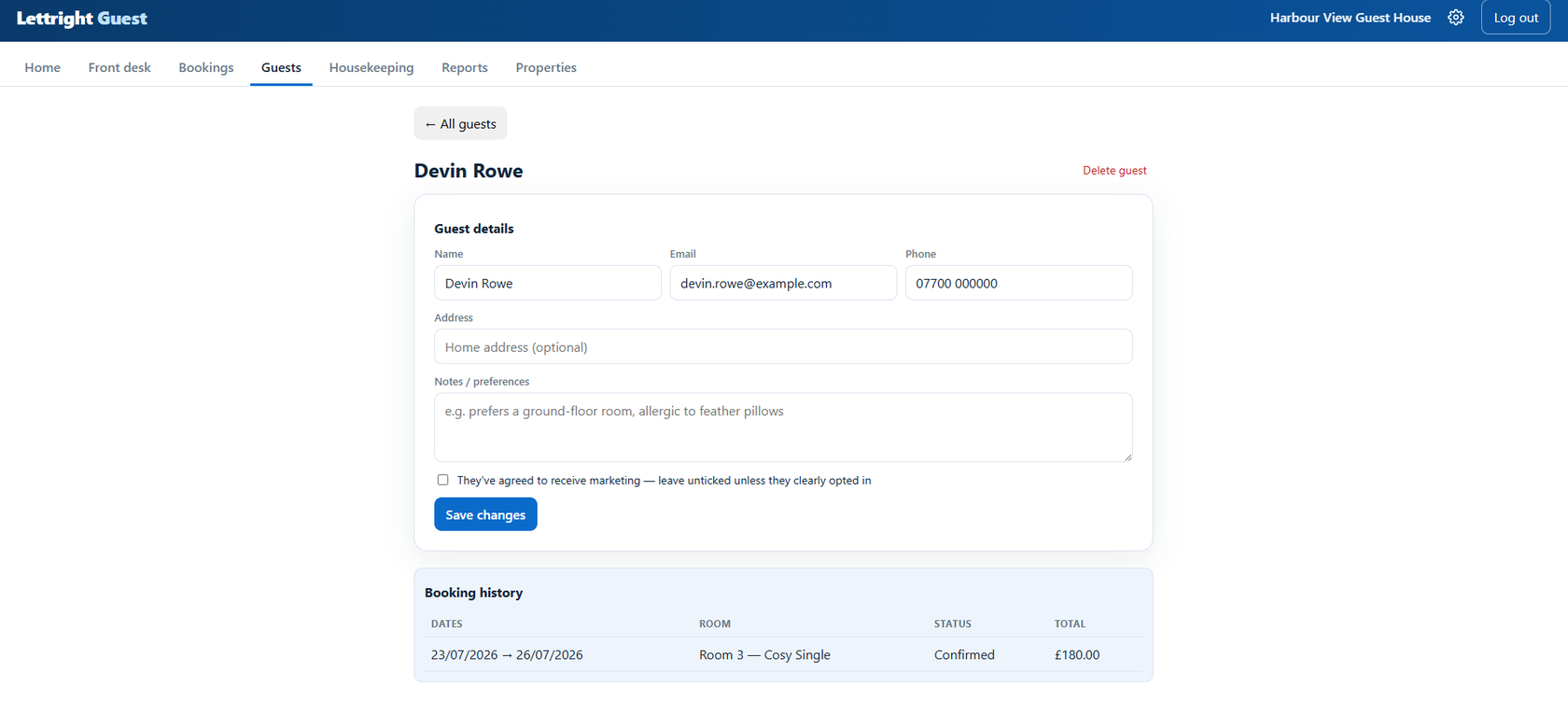
A proper guest book: contact details, preferences, full stay history and marketing consent handled the lawful way - plus a catalogue of extras (breakfast, parking, late checkout) dropped straight onto the bill.
Returning guests recognised automatically
Consent opt-in, never assumed (UK GDPR)
Extras priced per stay, night or guest
Who stayed, what they like, what they agreed to.
And the rest of the library
Every build also draws on the wider module set - switched on only where your operation needs them, and every module tailored to the business it's built for.
Contractor assignmentOnboarding & welcome packsDocuments & certificates storeTenant portalHMO licensing & complianceLandlord statementsWhite-label brandingAudit trailData export & backupOffline workingAPI & integrations - channel calendars (iCal), built to orderMigration from your existing systemNeed a website, or an upgrade to fit the software? We do that too